

Last checked: 4 September 2026
The best accounting software for a UK small business is not simply the product with the longest feature list.
It is the one that matches the business’s legal structure, VAT position, transaction volume, reporting needs and Making Tax Digital obligations without creating unnecessary costs.
For most small businesses, Zoho Books is the best-value all-round choice, while QuickBooks Online is better for growing companies that need inventory and detailed reporting.
Xero is strongest for collaboration, Sage Accounting stands out for bundled payroll, and FreeAgent can be exceptional value for eligible NatWest, Royal Bank of Scotland, Ulster Bank and Mettle customers.
Businesses still deciding what they will sell and how they will operate may also find it useful to compare the most successful businesses to start in the UK before choosing a package.
A consultant, retailer, landlord and construction subcontractor can require very different accounting tools.
Current Accounting Software Deals
Introductory discounts can reduce the first-year cost, but the renewal price matters more than the headline saving.
| Provider | Offer checked on 4 September 2026 | What to watch |
| Zoho Books | Permanent free plan and a trial of paid features | Free-plan transaction and document limits |
| QuickBooks Online | 90% off for the first six months | Reverts to the prevailing full price after the offer |
| Xero | 90% off for the first six months | Add-ons and usage above included allowances can increase the bill |
| Sage Accounting | 90% off for the first six months | Compare the post-offer price, not only the introductory rate |
| FreshBooks | 50% off for the first three months | Extra users and Advanced Payments are separate charges |
| FreeAgent | Free with eligible banking relationships; paid customers may receive an introductory discount | Banking eligibility and account-usage conditions apply |
| Starling Accounting | Accounting Plus at £7 per month until April 2027, then £14 | Requires a Starling business or sole-trader account |
These promotions are time-sensitive. A buyer should calculate the cost over at least 12 months and include every required user, payroll employee and add-on.
How This Comparison Was Assessed?
Pro Business Blog assessed the current UK versions of each product using a consistent editorial framework.
The comparison considers publicly stated UK prices, plan limits, Making Tax Digital support, core bookkeeping tools and practical suitability for different business types.
| Assessment area | Weight | What was considered |
| UK tax and MTD suitability | 25% | VAT, Income Tax, digital records and filing capability |
| Core accounting | 20% | Invoicing, expenses, bank reconciliation, reporting and year-end support |
| Real cost | 20% | Full list price, users, payroll, limits and common add-ons |
| Usability and support | 15% | Setup burden, mobile access, help and accountant collaboration |
| Growth and integrations | 10% | Inventory, multi-currency, projects, ecommerce and connected applications |
| AI and automation | 10% | Reconciliation, anomaly detection, forecasting and assistant features |
This is a structured product-information assessment, not a claim that every platform was used for months.
Before committing, a business should use a free trial to create an invoice, import a bank transaction, reconcile it, record an expense, produce a profit and loss report and test any required MTD workflow. Those six tasks reveal more than a long marketing feature list.
Top 10 Accounting Software for Small Business in the UK
1. Zoho Books — Best Overall Accounting Software for Value

Zoho Books takes the top position because it combines competitive pricing, broad automation and a genuinely usable free tier. It is particularly attractive to startups, microbusinesses and growing service companies that want more control than a basic invoicing application provides.
The current UK plans range from Free to Ultimate. Standard costs £12 per month on monthly billing or the equivalent of £10 per month when billed annually.
Professional adds purchase orders, sales orders, inventory and project profitability, while higher plans introduce more advanced analytics, stock controls and larger usage allowances.
The free plan is more useful than many readers may expect. It allows one user plus an accountant and currently lists annual limits of 1,000 invoices and 1,000 expenses, together with 50 document scans per month.
Older comparisons sometimes describe a turnover cap, but the current UK plan page focuses on usage limits instead. Eligibility and limits should still be confirmed during signup.
Zoho’s Zia assistant adds a meaningful AI layer. It can answer questions about business data, highlight anomalies, surface trends and support automated workflows.
This is more useful than a generic chatbot because the value comes from analysing accounting information already inside the system.
Hidden costs and plan restrictions: Additional users cost about £2 per user per month on annual billing or £2.50 on monthly billing. High-volume document scanning, expense claims, extra branches and some payment tools can add to the cost.
Inventory is not included in the entry-level paid plan.
Who should choose it: Zoho Books is the strongest all-round option for a cost-conscious UK small business that wants capable bookkeeping, automation and room to grow without immediately paying premium prices.
2. QuickBooks Online — Best for Growing SMEs and Ecommerce
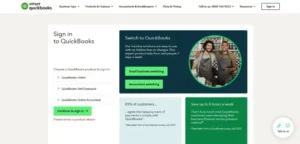
QuickBooks Online is a strong choice for a company that expects its accounting requirements to become more complex. Its reporting, stock tools, project features and large integration ecosystem make it particularly suitable for retail, ecommerce and established small businesses.
The standard UK list prices are £16 per month for Simple Start, £38 for Essentials, £56 for Plus and £123 for Advanced, excluding VAT.
Simple Start supports one user, Essentials supports three, Plus supports five and Advanced supports up to 25, with accountant access available separately.
The plan boundaries matter. Multi-currency begins with Essentials. Inventory tracking and purchase-order features require Plus or above. Advanced adds deeper customisation and higher-level finance tools. Payroll is not included in the accounting subscription and must be budgeted separately.
QuickBooks is also expanding its Intuit Intelligence features. The exact AI tools depend on the plan: entry-level users may see VAT checks and assisted categorisation, while higher tiers add accounting insights, error detection, customer analysis and Finance AI.
Some features remain in limited availability or beta, so a buyer should judge the product on tools available in the chosen account today rather than a promised roadmap.
Hidden costs and plan restrictions: Payroll is extra, inventory requires Plus, extra functionality may depend on paid applications, and the introductory discount expires. Finance AI also has limitations when multi-currency is enabled.
Who should choose it: QuickBooks is best for a growing SME or ecommerce business that needs inventory, detailed reporting and a platform that can scale beyond basic bookkeeping.
3. Xero — Best for Collaboration and Integrations

Xero remains one of the most flexible choices for businesses that collaborate closely with a bookkeeper or accountant. Its clean cloud-based workflow, broad application marketplace and unlimited-user policy make it especially useful when several employees need access.
Following the September 2026 price change, Xero’s standard UK plans cost £18 per month for Ignite, £39 for Grow, £55 for Comprehensive and £70 for Ultimate, excluding VAT.
Unlimited users is a major advantage, but the cheapest plan has strict operating limits: Ignite permits up to 20 invoices and 10 bills. Grow removes those limits and includes payroll for one person, one expenses user and a small allowance for domestic payments.
Comprehensive adds multi-currency, payroll and expenses for five people and a 90-day cash-flow view. Ultimate increases several allowances and extends cash-flow forecasting to 180 days.
Xero’s AI strategy centres on JAX, its financial assistant. The company has also integrated Anthropic’s Claude technology to support more conversational analysis and financial workflows.
This could make reporting and task completion faster, but AI-generated suggestions still require review by the business or its adviser.
Hidden costs and plan restrictions: Ignite’s invoice and bill caps can force an early upgrade. Payroll above the included allowance is £1.50 per person per month.
Automatic reconciliation, CIS returns, company accounts and tax, payment services and some bank feeds can involve additional charges. Multi-currency requires Comprehensive or Ultimate.
Who should choose it: Xero is best for a business that values unlimited users, accountant collaboration and a large choice of integrations more than the lowest entry price.
4. Sage Accounting — Best for Payroll Included
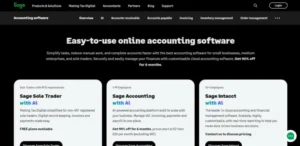
Sage Accounting is a compelling option for UK employers because all three current cloud accounting plans include Sage Payroll and Sage Copilot. That makes its headline price easier to compare with rivals that charge separately for payroll.
Sage Accounting Start costs £20 per month, Standard costs £43 and Plus costs £59, excluding VAT. Start supports one user and is intended for straightforward invoicing, cash flow and VAT needs.
Standard supports three users and adds supplier management, CIS tools and fuller accounting controls. Plus allows unlimited users and introduces inventory and multi-currency.
Sage Copilot can help identify issues, summarise financial information and support tasks such as chasing late payments. Its usefulness depends on which features have reached the individual account, because parts of the service are still being rolled out.
It should be treated as an assistant, not as a substitute for checking payroll, VAT or tax filings.
Hidden costs and plan restrictions: The lower plans have user limits, and businesses needing stock control or multi-currency must pay for Plus. Promotional pricing is temporary, so the full renewal price should be used in long-term comparisons.
Who should choose it: Sage is best for a UK small employer that wants recognised accounting software, payroll included in the subscription and practical AI assistance.
5. FreeAgent — Best for Freelancers with an Eligible Bank Account
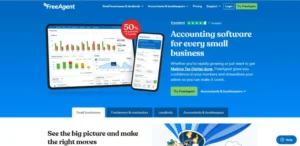
FreeAgent is designed around the needs of freelancers, contractors, sole traders, landlords and small limited companies. It brings invoicing, expenses, bank feeds, tax estimates, VAT and project tracking into a relatively approachable interface.
The decisive advantage is its bank-linked pricing. FreeAgent can be included without a separate subscription for eligible customers of NatWest, Royal Bank of Scotland and Ulster Bank.
Mettle customers can also qualify, provided they meet the account-usage conditions, including making at least one transaction each month and using the account as their primary business account.
For customers paying directly, the standard monthly prices are £19 for a sole trader, £27 for a partnership or LLP, £33 for a limited company and £10 for a landlord, excluding VAT.
FreeAgent supports MTD for VAT and MTD for Income Tax, but a taxpayer with more than one qualifying income source may need a separate FreeAgent account for each business or property source. Only one free FreeAgent account is normally attached to each eligible bank account.
Hidden costs and plan restrictions: The free arrangement is conditional rather than universal. Unlimited Smart Capture costs £5 per month after the included monthly allowance, and the Amazon integration costs £6 per month. Multiple businesses or income streams can require multiple accounts.
Who should choose it: FreeAgent is the clear value choice for a freelancer, contractor or small landlord who already qualifies through an eligible bank account and prefers tax-focused tools over advanced stock management.
6. Clear Books — Best Free Software for MTD Income Tax
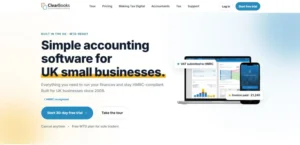
Clear Books deserves a place above several better-known international brands because its product range is designed specifically for UK sole traders and landlords preparing for MTD for Income Tax.
The Sole Trader Free plan supports digital records, quarterly MTD updates and the end-of-year process without transaction limits.
The £5-per-month Sole Trader plan adds bank feeds, invoicing, receipt scanning and unlimited users. Sole Trader Plus costs £15 per month and adds VAT support, including MTD for VAT. Paid prices exclude VAT.
There are also dedicated free and paid products for property income, including options for multiple properties and foreign property. This makes Clear Books unusually relevant to individuals whose qualifying income comes from self-employment, property or both.
Clear Books does not currently compete with Xero or QuickBooks on generative AI. Its advantage is narrower and more practical: low-cost UK compliance for people who do not need a large application ecosystem.
Hidden costs and plan restrictions: Payroll is separate and costs £2.70 per employee per month, with a minimum charge equivalent to two employees.
VAT-registered sole traders need the higher-priced Plus plan, and businesses wanting advanced stock or forecasting may outgrow it.
Who should choose it: Clear Books is best for a sole trader or landlord who wants a free or low-cost route into MTD for Income Tax and does not need enterprise-style features.
7. FreshBooks — Best for Consultants and Service Businesses

FreshBooks focuses on invoicing, time tracking, proposals, expenses and client work. It suits consultants, designers, agencies, tradespeople and other service businesses that bill for time or projects and want a polished client experience.
The standard UK prices are £16 per month for Lite, £30 for Plus and £42 for Premium, excluding VAT. Lite supports up to five billable clients, Plus supports 50 and Premium supports unlimited billable clients.
The client limits are important because a business can outgrow Lite even when its turnover remains modest. FreshBooks is easy to understand, but it is less compelling for stock-based companies and businesses needing sophisticated UK tax workflows.
FreshBooks supports MTD for VAT on its UK plans. However, a buyer who specifically needs MTD for Income Tax should confirm that the exact product and filing workflow are supported before subscribing.
MTD for VAT and MTD for Income Tax are separate requirements; support for one does not automatically prove support for the other.
FreshBooks does not currently offer an AI layer comparable with Zoho’s Zia, Xero’s JAX or Sage Copilot. Its strongest automation remains recurring invoices, payment reminders, expense capture and time-to-invoice workflows.
Hidden costs and plan restrictions: Each plan includes one user. Additional team members cost £8 each per month, and Advanced Payments costs £15 per month. The billable-client cap can also make an early upgrade necessary.
Who should choose it: FreshBooks is best for a service business that prioritises time tracking, project billing and professional invoices over inventory and advanced UK tax features.
8. Crunch — Best for Software with Human Accountancy Support

Crunch is difficult to compare directly with ordinary accounting software because it combines software with optional bookkeeping and accountancy services.
That difference is exactly why it may suit an owner who wants more support than a self-service package provides.
Crunch Free includes invoicing, expenses and bank reconciliation, although the service contains light advertising.
Crunch Lite costs £4 per month and removes the advertising, while Crunch Plus costs £10 per month plus VAT and adds more capable bookkeeping tools.
The accountancy packages cost considerably more because they include professional support. Sole Trader Pro starts at about £27 per month plus VAT, while limited-company packages begin at a higher level and increase according to the service included.
This model can be valuable when the owner wants software, bookkeeping assistance and tax support from one provider. It is less attractive to a business that already has an accountant and only needs inexpensive software access.
Hidden costs and plan restrictions: The low-cost software plans should not be confused with full accountancy packages. A buyer needs to check whether annual accounts, tax returns, VAT, payroll, advice and filing support are included in the selected tier.
Who should choose it: Crunch is best for a sole trader or limited company that wants the option of human accountancy support alongside its bookkeeping software.
9. Starling Accounting — Best for Starling Bank Customers
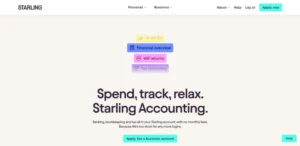
Starling Accounting is the current name for the service previously associated with Ember. The rebrand is worth noting because older comparison articles may still refer to Ember as a separate contender.
Accounting Essentials is available without a separate fee to eligible Starling sole-trader and business-account customers. It includes automated bookkeeping, receipt matching, tax estimates and support for MTD for Income Tax submissions.
Accounting Plus adds direct VAT tools and broader accounting features. It is currently priced at £7 per month until April 2027, after which the stated price becomes £14 per month.
The software’s main advantage is convenience: banking transactions and accounting records sit within the same ecosystem. Its main weakness is the same dependency.
A business that does not want Starling as its primary account will gain little from choosing the product.
Hidden costs and plan restrictions: A compatible Starling account is required, the discounted Plus price has an end date, and the service is not intended to match the inventory, integration or reporting depth of the largest platforms.
Who should choose it: Starling Accounting is best for an eligible Starling customer who wants banking, bookkeeping and MTD tools in one place.
10. Tide Accounting — Best for Tide Users

Tide also combines business banking with bookkeeping. Its free sole-trader toolkit provides basic invoicing and expense organisation, while the paid accounting products add automated bookkeeping, tax support and filing tools.
Tide Accounting costs £13.99 per month plus VAT for sole traders and £19.99 for limited companies.
Admin Extra costs £17.99 for sole traders and £24.99 for limited companies. The Invoice Assistant add-on costs £5.99 per month plus VAT.
This can be a convenient mobile-first choice for a small business already using Tide. Automatic bank feeds reduce setup work, while the integrated model makes cash-flow monitoring and expense matching simpler.
Restrictions need careful attention. Tide’s Self Assessment service is aimed at sole traders and does not cover every situation, including sole traders within the Construction Industry Scheme.
Its VAT return service also excludes the Flat Rate Scheme. A business should therefore confirm eligibility before relying on Tide for filing.
Hidden costs and plan restrictions: A Tide account is required, the free toolkit is not the full accounting service, invoicing extras are chargeable, and some tax situations are excluded.
Who should choose it: Tide Accounting is best for an eligible Tide customer with straightforward bookkeeping and tax needs who wants a single mobile banking and accounting experience.
What Making Tax Digital for Income Tax Means in 2026?
MTD for Income Tax began on 6 April 2026 for sole traders and landlords whose qualifying income exceeded £50,000 in the 2024/25 tax year.
The rollout then expands in stages:
| Qualifying income | Tax year used to test income | Mandatory start date |
| More than £50,000 | 2024/25 | 6 April 2026 |
| More than £30,000 | 2025/26 | 6 April 2027 |
| More than £20,000 | 2026/27 | 6 April 2028 |
Qualifying income generally means gross income from self-employment and property before expenses. Where an individual has both types of income, the amounts are combined when assessing the threshold. The timetable for ordinary partnerships has not yet been confirmed.
Someone within MTD for Income Tax must use compatible software to:
- create, store and correct digital records;
- send quarterly summaries of income and expenses;
- add other relevant income and adjustments; and
- submit the final tax return by 31 January following the end of the tax year.
The quarterly updates are summaries, not four complete tax returns. Under the standard quarterly schedule, deadlines fall on 7 August, 7 November, 7 February and 7 May.
Businesses do not normally need to make every accounting or tax adjustment before each quarterly update, but their underlying digital records must be maintained.
The phrase “HMRC-approved software” is often used casually. A more accurate description is MTD-compatible software recognised for the relevant filing function.
HMRC does not endorse a product as the best choice for a business, and MTD for VAT compatibility does not necessarily include MTD for Income Tax.
From September 2026, HMRC is beginning to sign up people who appear to be required to use MTD for Income Tax and have not already registered.
That makes it particularly important to check the exact filing capability now rather than relying on a provider’s broad use of the term “MTD ready”.
How to Choose the Right Accounting Software
Start with the Required Tax Workflow
A VAT-registered limited company, a non-VAT-registered sole trader and a landlord entering MTD for Income Tax do not need identical software.
The buyer should identify every required return and confirm that the exact product, plan and business type are supported.
Calculate the Real Monthly Cost
The meaningful figure is not the discounted first-month price. It is:
subscription + payroll + users + receipt capture + inventory + payment fees + required integrations
A £10 plan that needs three add-ons can cost more than a £30 plan with those features included.
Check Transaction and Client Limits
Free or entry-level plans often restrict invoices, bills, clients, users, bank feeds or document scans. A rapidly growing business should calculate when it will cross those limits and what the next tier will cost.
Test Bank Reconciliation
Bank reconciliation is where accounting software saves or wastes the most time. A useful system should import transactions reliably, learn categorisation rules and make unusual descriptions easier to investigate.
Payment-processor entries can be confusing, which is why it helps to understand labels such as SumUp on a bank statement before creating automatic rules.
Check Expense and VAT Coding
Receipt capture is only helpful when expenses are coded correctly. A business should test how the software handles mixed-rate purchases, zero-rated items, exempt items and costs with no recoverable VAT.
For example, the rules around VAT on train tickets show why a default 20% VAT assumption can create inaccurate records.
Involve the Accountant or Bookkeeper
The person preparing or reviewing the accounts should be involved before a final decision. They can identify missing reports, unsuitable VAT settings and migration problems that may not be obvious during a short trial.
Which Accounting Software Is Best for Each Type of Business?
| Business type | Best starting point | Reason |
| Freelancer or contractor | FreeAgent | Strong self-employed tax tools and potentially free bank-linked access |
| New sole trader entering MTD | Clear Books | Free MTD Income Tax option with UK-specific workflows |
| Consultant or agency | FreshBooks | Time tracking, proposals and client billing |
| Ecommerce seller | QuickBooks Plus | Inventory, purchase orders and broader integration options |
| Business with several users | Xero | Unlimited users across all plans |
| Small employer | Sage Accounting | Payroll included in current plans |
| Cost-conscious startup | Zoho Books | Capable free plan and low paid-tier prices |
| Starling customer | Starling Accounting | Banking and accounting within one ecosystem |
| Tide customer | Tide Accounting | Mobile banking and bookkeeping integration |
| Owner wanting an accountant included | Crunch | Software with optional professional services |
Final Verdict
There is no single accounting platform that is best for every UK small business.
Zoho Books is the best overall value choice, particularly for startups and small service businesses.
QuickBooks Online is the strongest option for a growing or inventory-based company, while Xero is the best fit for collaboration and integrations.
Sage Accounting deserves serious consideration from employers because payroll is included, and FreeAgent is difficult to beat for eligible banking customers.
Clear Books, Crunch, Starling Accounting and Tide also deserve attention because they solve UK-specific problems that many international comparison guides overlook.
Whichever product reaches the shortlist, the business should test its own invoices, bank feeds, expenses, reports and MTD workflow before signing a long-term subscription.
Frequently Asked Questions
What is the best accounting software for a UK small business?
Zoho Books offers the best balance of price, automation and everyday bookkeeping for many small businesses.
QuickBooks is stronger for inventory and growth, Xero for collaboration, Sage for payroll, and FreeAgent for eligible freelancers. The best choice depends on the business’s tax and operational requirements.
What is the best free accounting software in the UK?
Zoho Books is the strongest broad free accounting package for many microbusinesses, subject to its usage limits. Clear Books is particularly attractive for free MTD Income Tax filing. FreeAgent and Starling Accounting can also be free, but only for customers who meet the relevant banking conditions.
Is Xero or QuickBooks better for multi-currency?
QuickBooks introduces multi-currency from Essentials, while Xero requires Comprehensive or Ultimate. QuickBooks therefore provides a lower list-price entry point for this feature.
However, Xero may still be preferable when unlimited users and adviser collaboration are more important. A business should also check how each platform handles exchange-rate gains, overseas payment services and reporting.
Which accounting software is best for eBay, Amazon or ecommerce sellers?
QuickBooks Plus is a practical starting point for sellers that need stock tracking and purchase orders. Xero can be equally strong when connected to specialist ecommerce inventory applications.
The correct choice depends on transaction volume, marketplace connections, VAT complexity and whether stock must be tracked across several channels.
Does all accounting software support Making Tax Digital?
No. A product may support MTD for VAT but not MTD for Income Tax, or it may support only certain legal structures and filing situations. Buyers should confirm the exact MTD function and plan rather than relying on a general “MTD ready” statement.
Is payroll included with accounting software?
Sometimes. Sage currently includes payroll in its cloud accounting plans, while some Xero plans include limited payroll allowances. QuickBooks payroll is normally an additional subscription. Other providers may charge per employee or require a separate product.
Is it difficult to switch accounting software?
Switching is manageable when balances, contacts, outstanding invoices, bills, bank transactions and VAT settings are clean.
It becomes harder in the middle of a VAT period or financial year, especially where payroll, stock or multi-currency is involved. The safest process is to agree a cut-off date with the accountant, export a complete backup and reconcile the old system before migration.
Should a business choose software with AI features?
AI can save time by suggesting categories, finding anomalies, summarising cash flow and drafting payment reminders.
It should be treated as a productivity feature rather than the main buying criterion. MTD support, reliable records, correct tax treatment, pricing and accountant access remain more important.